Buyer information, not installation instructions. Requirements depend on the adopted local code and exact product. Electrical work and site diagnosis should be performed by qualified professionals.
Choose the wiring version after a qualified electrician confirms the conditions in the switch box. A smart switch marked “neutral required” needs that connection. A no-neutral or single-live version is a different product configuration with its own load and installation requirements. The choice cannot be made from the glass panel or Wi-Fi logo.
Manufacturer instructions are specific about this. ELEGRP’s guidance for SPN10 and SPN30 says those models need a neutral. Leviton documents both neutral-required and no-neutral families, with different accessory requirements. A statement about one smart switch should not be treated as a rule for the whole category. [Source]
What changes between USW8811 and USW8811-S?
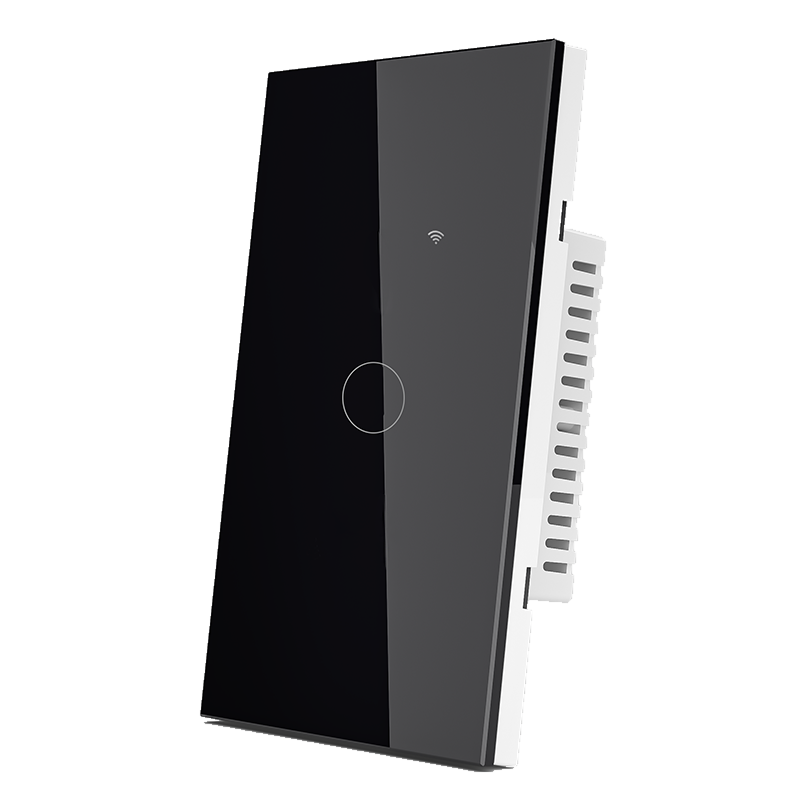
Both FAHINT models are US-format, one-gang Wi-Fi touch switches. Their published wiring and supply specifications differ. The suffix needs to stay visible from the quotation through to the sample and final order. [Source]
| Model | Wiring version | Published supply |
|---|---|---|
| USW8811 | Neutral + live (N + L) | 90 to 250V AC, 50/60Hz |
| USW8811-S | Single live wire | 110 to 240V AC, 50/60Hz |
The single-live designation describes the wiring version. It does not mean that the device is battery powered or that it can be installed anywhere without checking the existing circuit. Have the installer review the model diagram and available conductors. Do not identify a neutral from color alone or substitute a grounding conductor for it.
No-neutral does not settle the accessory question
Some no-neutral products need additional equipment. Leviton’s DN family, for example, requires its specified Wi-Fi bridge and an earth-ground connection. That is an example of a particular system, not a requirement or a compatibility claim for FAHINT. [Source]
For the FAHINT version being quoted, ask whether a bypass accessory is needed, which loads are permitted and whether a minimum load applies. The catalog alone does not resolve those details for every lamp. Include any required accessory in the price comparison and sample pack so it cannot be missed later.
Check the lamp separately from the switch’s headline wattage
The catalog gives a 1200W-per-gang load figure for these models but does not identify every permitted lamp or motor type behind that figure. It should not become a blanket “1200W LED” claim. Send the lamp or driver model, quantity and wattage for review before accepting a load match. [Source]
The required action matters too. If the room needs dimming, choose and evaluate a dimming model. A one-gang touch switch does not become a dimmer because its panel resembles another product in the range.
Use a sample to settle the remaining questions
Ask the project electrician to install the approved sample with the intended lamp under the supplied instructions. Then review ordinary use: local on/off control, the required app functions and what happens when power or connectivity returns. Record the exact app, accessories and hardware version with the result.
For a renovation with several rooms, note the confirmed wiring conditions room by room. Avoid ordering a single version for the whole property until the survey supports that choice. The wider smart-switch guide covers Wi-Fi, Zigbee and touch-only options once the wiring requirement is established.Wi-Fi, Zigbee and touch-control guide
Sources & further reading
Reviewing a specific model?
Send the model and the question you want to resolve. We will help locate the relevant product information.
Ask a product question